Platform SSO promises a more joined-up Mac sign-in experience. During rollout, one colleague registers successfully, another sees repeated prompts and someone else asks why their Microsoft password still does not unlock the Mac.
Those symptoms do not necessarily have the same cause. A sound deployment starts with a defined authentication model, supported components and a tested recovery path. “Make it all single sign-on” is an ambition, not yet a configuration.
First agree what the chosen method should do
Microsoft documents different Platform SSO authentication methods. Password-based authentication can synchronise the Entra password with the local account. Its Secure Enclave-backed Platform Credential method leaves the local password unchanged while using a hardware-bound key for cloud authentication. Smart card authentication has its own requirements.
Consequently, a local password remaining separate may be expected behaviour. Our Mac and Microsoft 365 password guide explains that distinction. This guide focuses on the wider rollout.
Registration is a workflow, not merely an installed profile
The operating system, supported MDM configuration, Microsoft extension and Company Portal deployment need to fit together. Microsoft also requires users to have permission to register and join devices in Entra ID. An app being installed does not prove that the intended user has completed registration.
For Jamf-managed Macs, use the applicable Jamf workflow alongside Microsoft’s requirements. Do not assume an Intune configuration walkthrough can be copied unchanged into another management platform.
Existing password policies can conflict
Microsoft documents a password synchronisation problem where the local password policy requires greater complexity than the Entra password satisfies. Repeated resets may not resolve the underlying policy mismatch.
The business needs a compatible policy design and a clear account of which password changed, where it changed and what the Mac did next. That is more useful than asking the user to try another password and hoping the story improves.
More security settings can change the user experience
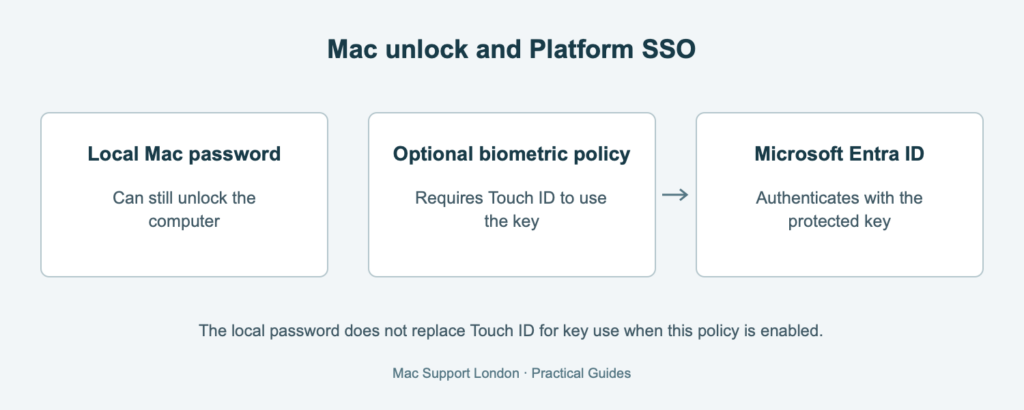
If the optional biometric policy is enabled, Touch ID is required to use the Secure Enclave-backed key for Microsoft Entra authentication. The Mac’s local password can still unlock the computer, but cannot substitute for Touch ID when accessing that key. This policy is optional, not a requirement of every Secure Enclave-based Platform SSO deployment.
Local login, disk unlock and access to cloud applications should be tested separately. A successful browser sign-in is only one part of that journey.
What we include in a rollout review
- The authentication method, intended experience and supported device population.
- Existing accounts, conflicting profiles and registration permissions.
- What happens to new starters as well as colleagues with established local accounts.
- Online and offline sign-in, password changes, restart and FileVault unlock.
- Security policy compatibility and evidence from failed registration or authentication.
- The authorised recovery process and instructions the support team can actually use.
Our recommendation is to pilot the real working day, not just the first successful login. Document the expected exceptions before rolling the configuration out more widely.
Connect the identity design to the Mac management
MSL can review the dependencies and plan a controlled deployment through our Jamf Pro support and management service. Discuss your Mac identity setup.