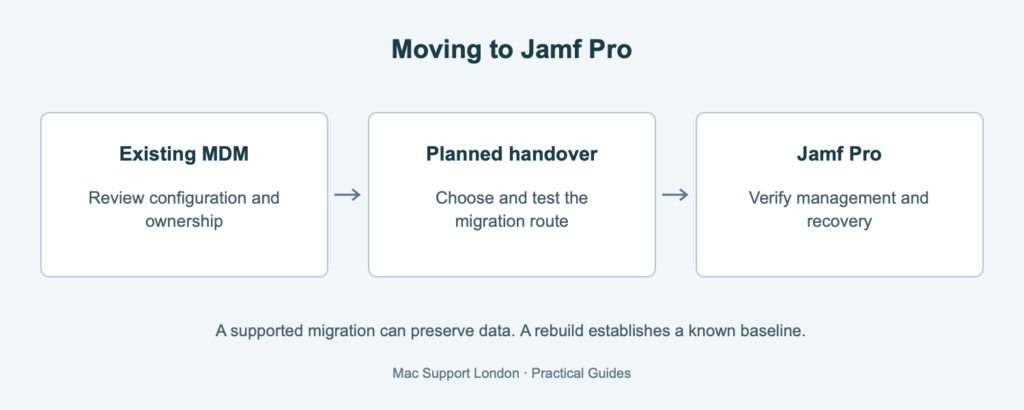
Your business has chosen Jamf Pro. The next question is how to move the Macs without leaving staff unable to work, security tools without their permissions or the old supplier holding the only useful recovery keys.
An MDM migration is a transfer of management responsibility, not simply an application installation. A supported migration may preserve existing data. It does not, by itself, establish that every Mac has a configuration worth preserving.
Does moving to Jamf Pro mean wiping every Mac?
Not necessarily. Apple documents device management service migration for eligible devices, including Macs running macOS 26 or later. Jamf also documents Jamf Migrate for macOS, a separate Professional Services workflow. Eligibility, source management, enrolment method and the destination configuration must be checked before choosing a route.
Where a business-owned Mac has an uncertain history, MSL normally recommends a planned erase and rebuild to establish an agreed baseline. That is our deployment recommendation, not a universal Apple requirement. A well-understood, consistently managed estate may justify an in-place migration. Read our guide to deciding when existing Macs should be rebuilt.
The awkward part can be the gap between management systems
Jamf warns that its Jamf Migrate workflow temporarily removes some managed apps and settings. Removing the old profile can affect Wi-Fi connectivity and produce permission prompts for security software until replacement settings arrive. Behaviour differs between migration methods; an Apple-native workflow and Jamf Migrate should not be treated as interchangeable.
“We will put the settings back afterwards” is less reassuring when the missing setting supplied the internet connection.
What needs a deliberate handover?
- Ownership: who controls Apple business enrolment, management assignments, renewals and the current supplier’s access.
- Applications: required software, licences, managed app behaviour and the settings staff depend on.
- Security: encryption recovery arrangements, security agents, permissions and evidence that replacement controls are working.
- Identity and connectivity: login integrations, certificates, Wi-Fi and remote access during the transition.
- Data: verified recovery arrangements and an agreed method of preserving or restoring business files.
A pilot should prove more than a new inventory record
Our recommendation is to test representative Macs, including remote staff and exceptions. Confirm normal work, app access, security reporting and authorised recovery. Define who handles a stalled migration and how an affected colleague keeps working.
Keep the old service available until the agreed completion checks are satisfied. Moving the last visible device is not the same as completing the handover.
Plan the move before removing the old management
MSL can assess your existing estate, recommend a migration or rebuild approach and scope the handover. See our Jamf Pro implementation and management services or discuss your migration.