Your Macs are managed in Jamf Pro and your business uses Microsoft 365. You want access restricted to trusted users on appropriately managed devices. Surely connecting the two systems is the last small job?
Jamf management, device registration, compliance reporting and Microsoft Entra Conditional Access have separate responsibilities. A Mac appearing in Jamf inventory does not prove that Microsoft has the evidence needed to grant access.
Jamf Pro evaluates compliance; Entra uses the result
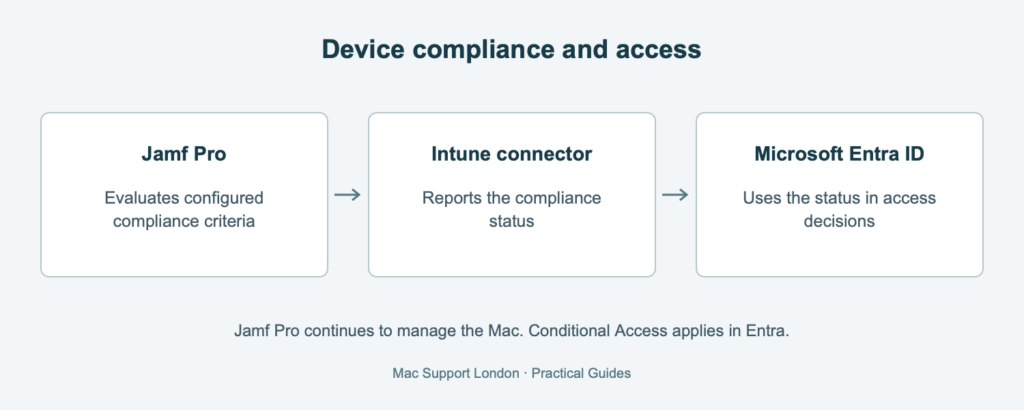
With the Device Compliance integration, Jamf Pro evaluates whether a Mac meets the organisation’s configured compliance criteria using Smart Groups. The resulting compliance status is sent through Microsoft Intune’s Partner Compliance Connector to Microsoft Entra ID. Entra Conditional Access policies can then require a compliant device when deciding whether to grant access to business resources.
Jamf Pro continues to manage the Mac. Intune provides the connector in this flow; it is not taking over the Mac’s primary management.
The criteria matter as much as the connection
The integration reports the result of the checks your organisation has chosen. It does not decide which security standards are sufficient for your business. A Mac marked compliant against a limited set of criteria may still fall short of your actual requirements.
MSL reviews what those criteria demonstrate, the inventory information behind them and how a change in device state reaches the access decision. The objective is a meaningful compliance signal, not simply another green status.
Why legitimate staff can still be blocked
The required applications, supported versions, licensing, registration and identity configuration all matter. Jamf’s requirements include Company Portal and a configured Microsoft SSO or Platform SSO extension. Having bought Microsoft 365 is not sufficient evidence that every required entitlement is present.
There is also a registration dependency: Jamf explicitly requires the User Registration app to be excluded from policies that require compliant devices. Otherwise, the route used to establish trust can itself be blocked. Any exception needs careful scope and review; it is not a reason to exempt everyday business applications.
What MSL checks before recommending enforcement
- Which integration is deployed, who owns it and whether its components are supported.
- The licences and administrative responsibilities required for the intended outcome.
- What the compliance criteria actually prove, including the quality of the inventory behind them.
- Whether registration and compliance reporting work for the intended users and Macs.
- How access behaves for a healthy device, an unhealthy device and a device with incomplete registration.
- How authorised administrators recover access and investigate an unexpected block.
A green connector is useful. It is not a security strategy.
Agree the result before widening the policy
Our recommendation is a controlled pilot with an agreed baseline, evidence of access decisions and an incident plan. Keep identity, device and security teams involved so that each understands which part it owns.
MSL provides Jamf Pro configuration reviews and identity integration planning. Discuss your Jamf and Microsoft environment before an access policy becomes an office-wide troubleshooting session.